CV is audio
Run an LFO at audio rate and it's a sub-oscillator. Slow an oscillator right down and it's an LFO. If it makes signal, it can shape signal, and that openness is what keeps a patch interesting at 1am.
Node-based modular synth · app + AU / VST3 · macOS / Windows / Linux
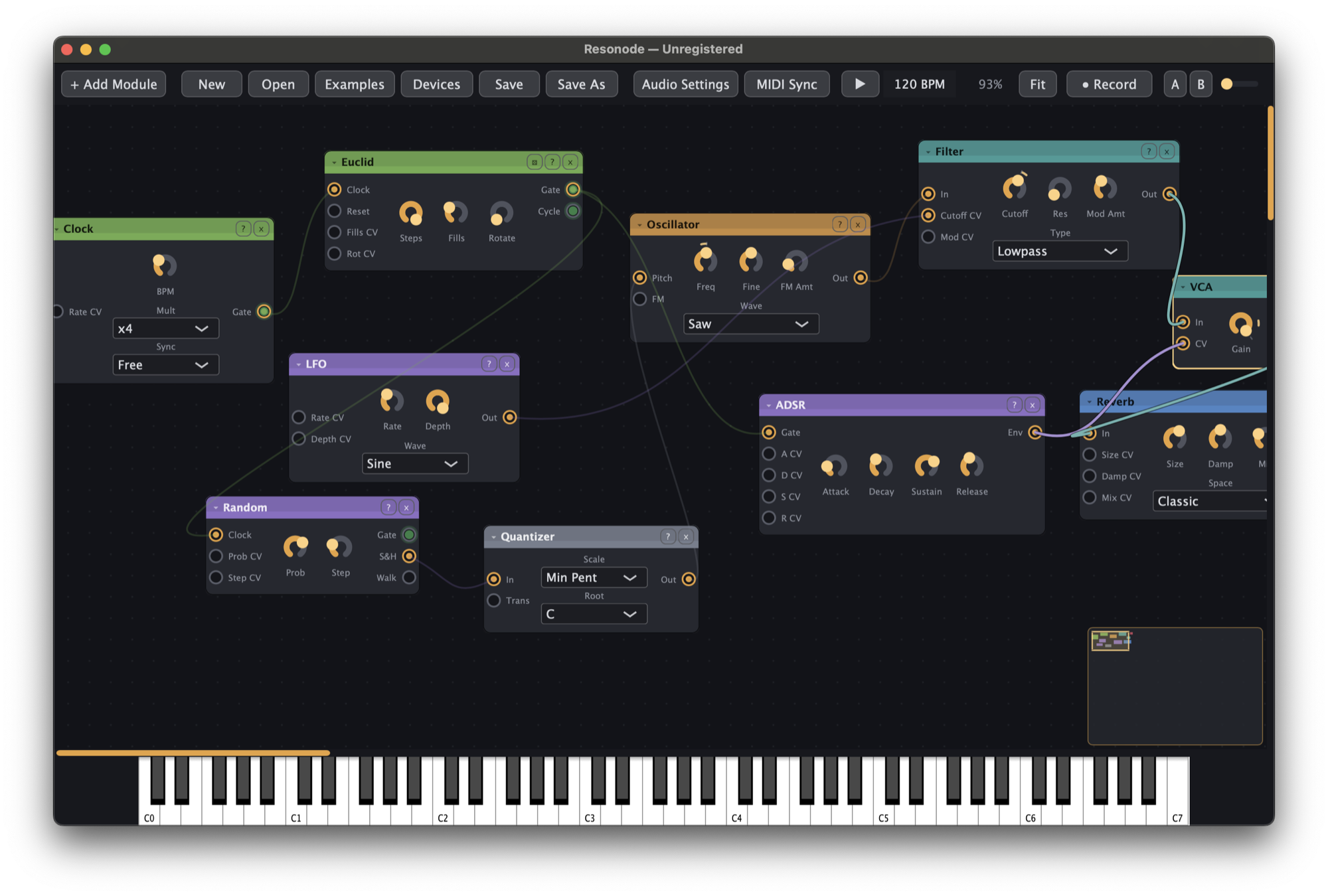
A hardware-style modular rack on a freeform canvas. 99 modules, one rule: control is just signal, so any output can drive any input. An LFO into a filter cutoff. An oscillator into another oscillator's FM input. A kick drum into a sample-and-hold, just to hear what happens. And you don't need a modular background — every module explains itself before you add it.
One download with everything in it: the app, the AU and VST3 plugins, all 99 modules. No account needed and nothing expires. Registering just makes it officially yours.
The core idea
Most soft synths decide what's allowed to modulate what. Resonode doesn't. There is no separate "CV" cable — control voltage is just audio-rate signal, so every output speaks the same language as every input.
Run an LFO at audio rate and it's a sub-oscillator. Slow an oscillator right down and it's an LFO. If it makes signal, it can shape signal, and that openness is what keeps a patch interesting at 1am.
1V/oct, like the hardware: freq = base · 2^cv, with A440 at zero. Quantizers, octave shifters and CV math all just work, because pitch is a number you can add to.
Multiple cables into one input add up, exactly like stacked patch cables in a rack. Two sequences summed into one pitch input play a melody neither of them contains.
Gates and triggers are 0 or 1, high above 0.5. Envelopes are unipolar, LFOs are bipolar. The conventions are boring on purpose, so patches do what your rack intuition expects.
What's in the box
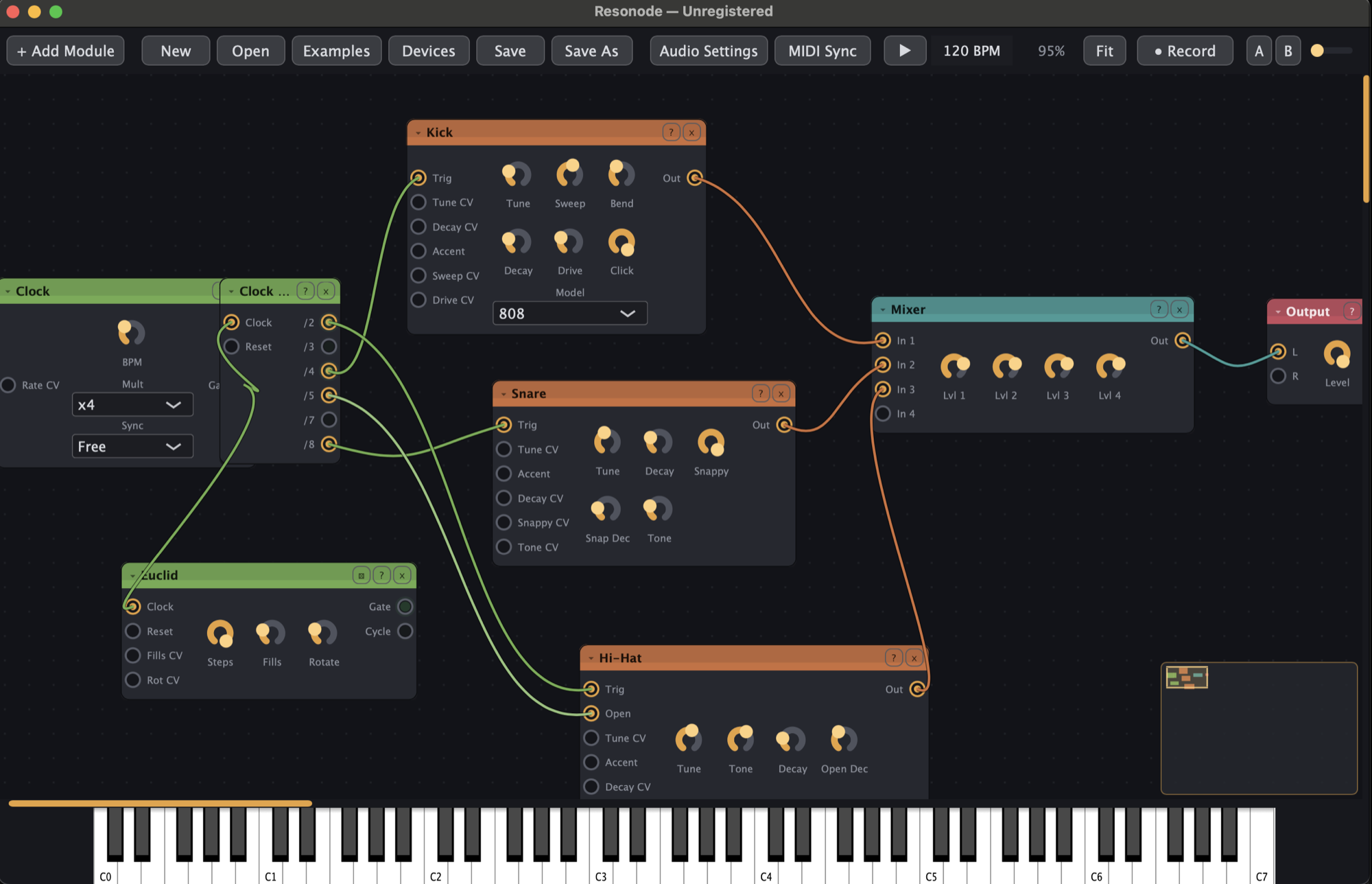
Everything ships in the free download: sources, a full drum kit, filters and compressors, deep modulation, thirteen sequencers and clocks, an effects rack, and MIDI in and out. Registered or not, you get all of it.
Approachable by design
Modular has a reputation: walls of unlabelled knobs, patches that look like server rooms, an afternoon of videos before your first note. I found that exhausting too, so Resonode is built to be read at a glance and learned by doing.
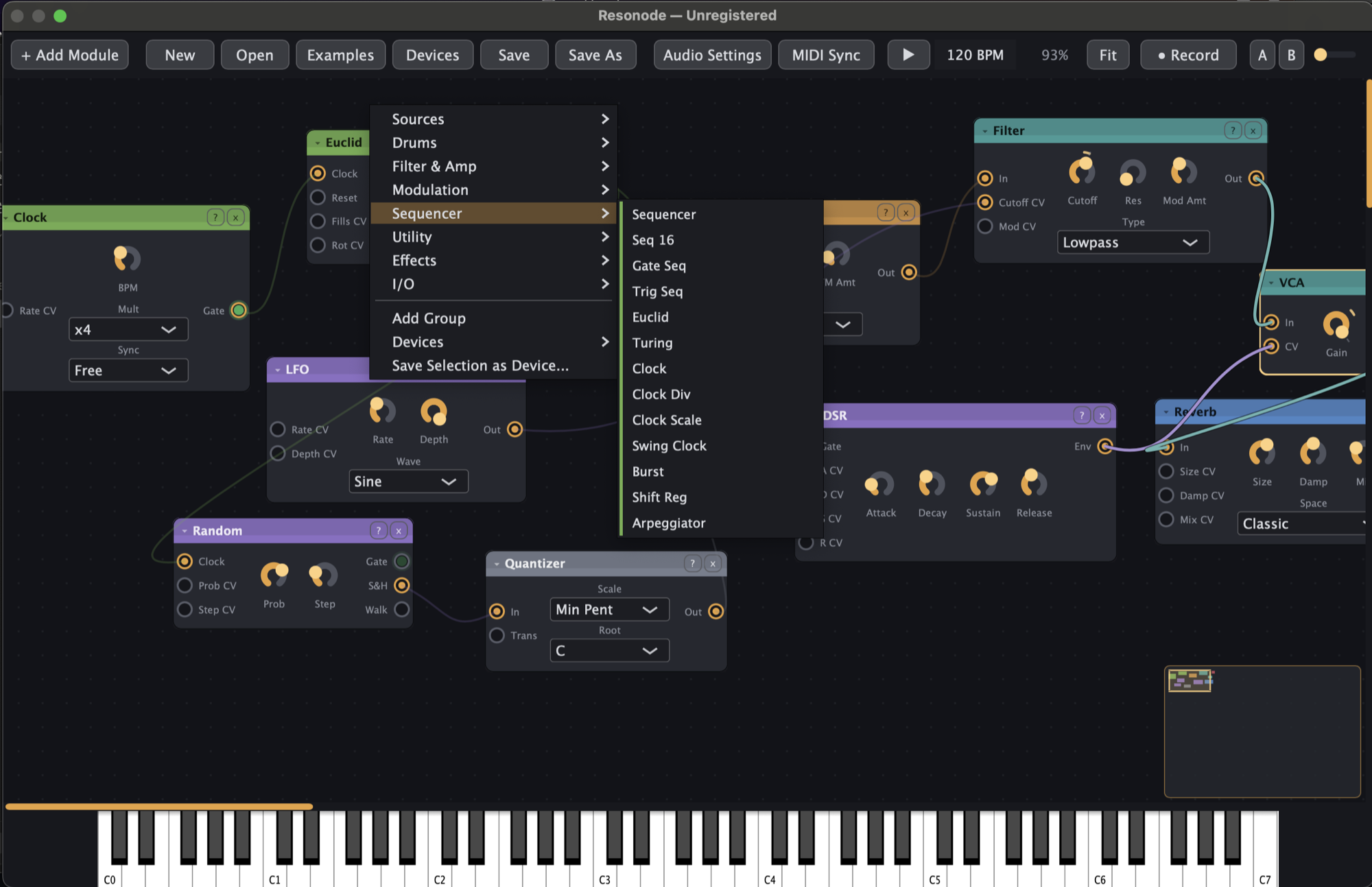
Double-click the canvas and the search palette describes each module in one plain sentence before you add it. Hover anything in the add menu and you get the same line. You never commit to a mystery box.
Modules are compact and consistently laid out — a handful of clearly labelled knobs each, not a forty-control monolith. If a panel needs studying before it makes sound, it didn't ship.
The Examples menu opens ready-made patches you can pull apart to see how they tick, and saved Devices drop whole building blocks onto the canvas. An empty canvas is optional.
Undo covers everything, autosave runs every 30 seconds, and pressing ? shows every shortcut. Patch first, understand later — you can always get back to where you were.
Adaptive workflows
Some days you want the synth to compose; some days you want it to make something new from sounds you already own. Resonode leans whichever way you do, and both roads end at the same Record button.
Set a patch drifting and let it write: a Turing machine mutates a melody until it locks, Euclid pushes the drums off the grid, Bernoulli flips coins on your behalf, and per-step probability keeps a pattern from ever playing the same way twice. Hit record and keep whatever surprises you.
Or start from sounds you already own. Record into the Sampler or drop files straight in — your sample packs become playable instruments. Smear them into clouds with Granular, loop and overdub with Looper, track their dynamics with Env Follow, or push a vocal through the Vocoder against a Supersaw.
Beyond the rack
Modular runs on happy accidents. The workflow exists so you don't lose them.
Capture two snapshots of every knob in the patch, then morph between them with one slider. Filter sweeps, drops and transitions, performed one-handed.
Record the master output to 24-bit WAV while you play, or render offline with Export WAV. The offline render is faster than real time and starts from beat one, so the take is clean.
Record into the Sampler or drop in your own files — your sample packs become oscillators. Then let the Granular module smear them into clouds.
Right-click any knob for MIDI Learn and move a control on your hardware. MIDI clock keeps everything locked to your DAW — and the MIDI Out module turns Resonode's CV into notes and CCs, so the canvas can sequence your hardware synths too.
Save any selection of modules as a reusable Device and drop it into future patches — build your own module library out of your favourite corners.
Autosave runs every 30 seconds; crash recovery offers your work back on the next launch. Undo covers everything — including multi-module deletes, in one step.
Just landed — AU / VST3
Resonode is now a plugin instrument as well as an app, and it isn't a cut-down remote control for the real thing. The entire canvas opens inside the plugin window: every module, the patch browser, Performance View, all of it.
.rnpatch — a patch built in the app opens in the DAW, and your project reopens exactly as saved.AU on macOS, VST3 on macOS & Windows, in the same free download. The AU passes auval — your host's validator will be pleased.
New — the performance update
The canvas is where patches get made. This update is for the part that happens later, in front of people.
One click on Live fills the window with big knobs: every MIDI-learned parameter, every Macro, and the Scene morph slider. A stage mode built for dark rooms and laptop lids — Esc brings the canvas back, and the QWERTY keys keep playing throughout.
Hover any cable for a live readout on the wire — current value, range and waveform in a little bubble. When a patch misbehaves, you can now see what's flowing instead of guessing by ear.
Per-step probability (100/75/50/25%), ratchets up to four hits, and independent lane lengths for polymeter. Program a drum pattern that never plays quite the same way twice — and save it all with the patch.
Two new modules for the rack: Shimmer, a pitch-climbing reverb with a Freeze button for endless ambient tails, and Matrix, a 4×4 attenuverting matrix mixer — the routing brain every serious modular patch eventually wants.
Appearance
Colour schemes modelled on the machines that raised us, one click away in the Appearance menu — plus accessibility presets (Light, High Contrast, Colour-Blind Safe, Monochrome), because everyone gets to patch.
Registration
One-time registration
$39
no subscription · no upsell · no Pro tier
Register ResonodeLaunch price — ends when v1.1 lands. Checkout by Lemon Squeezy; sales tax sorted, key delivered instantly.
Questions
No. Unregistered Resonode is the complete instrument: all 99 modules, every theme, Performance View, patch saving and sharing, WAV recording and export. The only difference is an "Unregistered" tag in the title bar, a small splash on launch, and an occasional polite reminder. It never interrupts your sound and nothing ever expires.
Both, as of the latest update. The download includes the standalone app plus Resonode as an AU and VST3 plugin instrument:
.rnpatch file.No DAW? The app needs nothing else: play it live, record or export straight to 24-bit WAV.
Yes, and please do. Sending the installer to a producer friend is the licence working as intended. The only personal thing is a registration key, which has your name on it, so keep that one to yourself.
It's light on CPU — no beast of a machine required.
That worry is exactly what Resonode is designed around. Modules are small and clearly labelled, the add palette describes every one in plain language, and the Examples menu gives you working patches to pull apart. If you can connect two boxes with a line, you'll make sound in your first minute.
The instrument is complete and stable. Beta means I'm still polishing edges and listening to early users before I call it 1.0 final. Autosave and crash recovery have your back either way, and registered users get every 1.x update free.
Me — Jay Hill, a developer and producer in Texas. I make electronic dance music as HRVST; if you've downloaded my Serum presets or sample packs, this is the same person. Resonode is built with JUCE 8 and an unreasonable fondness for patch cables.