Docs
Getting started
Resonode is a node-based modular synthesizer: 99 modules on a freeform canvas, patched together with cables the way you would wire a hardware rack. This page gets you from download to your first patch in about five minutes.
Installing
macOS
Download the universal build from the latest release, unzip, and drag Resonode.app into Applications. It runs natively on both Apple Silicon (macOS 11+) and Intel (macOS 10.13+).
The app is currently unsigned, so the first launch needs one extra step: right-click the app and choose Open, then confirm. (Or clear the quarantine flag from Terminal: xattr -dr com.apple.quarantine Resonode.app.) You only do this once.
Windows
Download the x64 zip, extract it anywhere, and run Resonode.exe. Windows 10 and 11 are supported. SmartScreen may warn about an unrecognised app the first time — choose More info → Run anyway.
Linux
Download the AppImage, make it executable, and run it:
chmod +x Resonode-*.AppImage
./Resonode-*.AppImage
The AU/VST3 plugins
The same download includes Resonode as a plugin instrument. See Resonode in your DAW for install paths and how the plugin behaves inside a host.
Your first patch
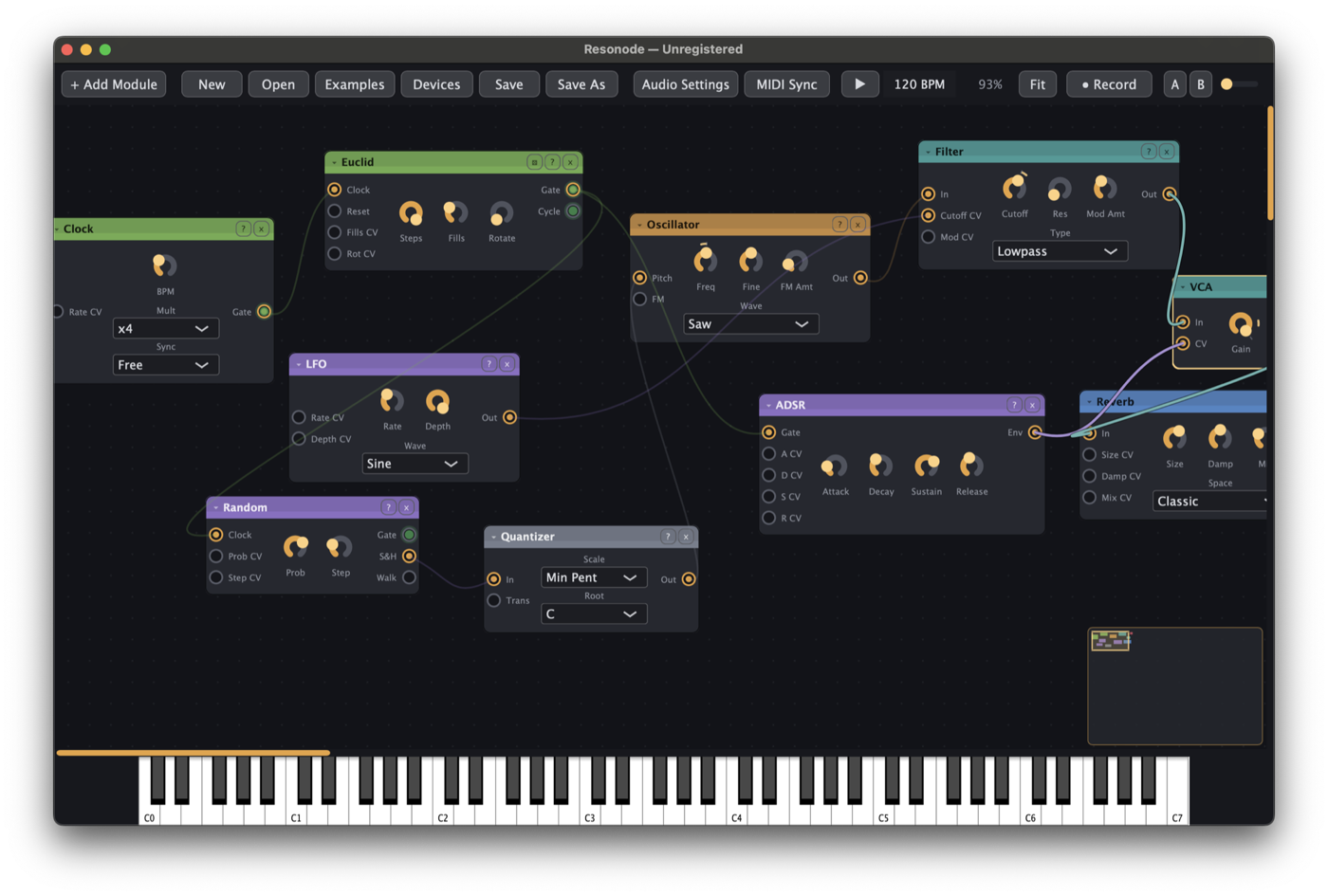
Resonode launches with a small working patch — an oscillator through a filter and envelope into the output — so it makes sound immediately.
- Play a note. Use the on-screen keyboard, a MIDI controller, or the computer keys: A W S E D F… play like a piano row, and Z / X shift the octave.
- Add a module. Double-click any empty canvas and start typing — the quick-add palette searches all 99 modules and shows a one-line description of each before you commit. Type
lfoand press Return. - Patch a cable. Drag from the LFO's Out port to the Filter's Cutoff CV port. Hold a note — the filter now moves on its own. That gesture, output-to-input, is the whole technique; everything else is repertoire.
- Undo fearlessly. Cmd+Z undoes everything, including deletes. Autosave runs every 30 seconds, and if the app didn't close cleanly the next launch offers your work back.
Where your files live
| What | Where |
|---|---|
Patches (.rnpatch) | ~/Documents/Resonode Patches/ |
Devices (.rndevice) | ~/Documents/Resonode Devices/ |
Recordings (.wav) | ~/Documents/Resonode Recordings/ |
| Diagnostic log | ~/Library/Logs/Resonode/Resonode.log on macOS; the per-user app-logs folder on Windows |
Where to next
- Signals & patching — the one rule that makes everything patchable.
- Module reference — every module, one line each.
- Keyboard & mouse — or press ? in the toolbar any time.