Make it move
Sequencing, clocks & MIDI
Resonode keeps time three ways: the global transport, patchable clock modules, and MIDI — in and out. This page covers all three, plus the sequencers that ride them.
The transport
Space (or the toolbar Play button) starts and stops the transport; the tempo field sets BPM. Any Clock module in Sync mode locks to the transport, so all your synced clocks start together, in phase, on beat one. Clocks in free mode ignore it and just run.
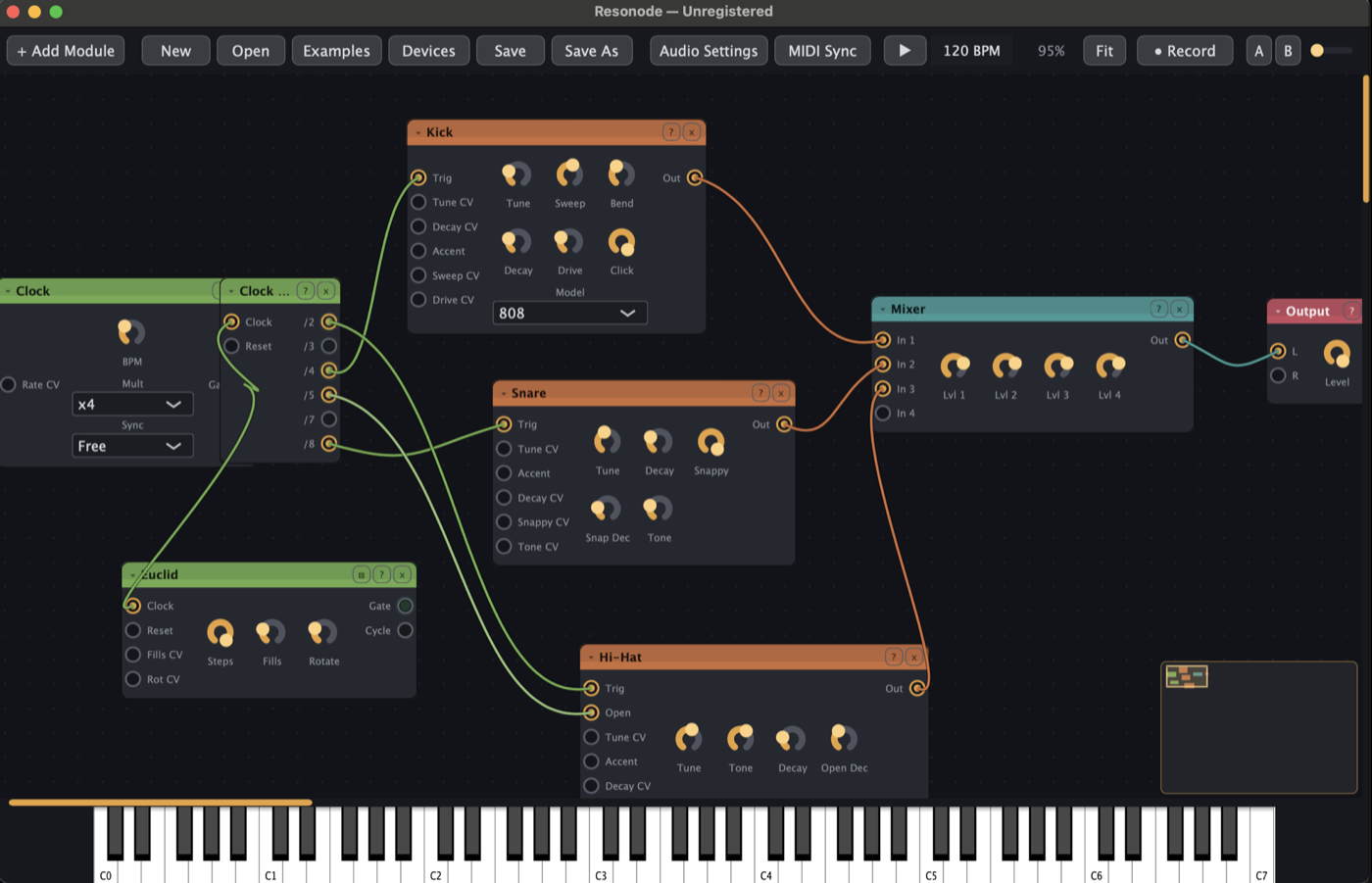
Clocks and clock utilities
- Clock — the master pulse: BPM, multiplier, sync mode.
- Clock Div — divides by 2/3/4/5/7/8 simultaneously, with reset: the source of polyrhythms.
- Clock Scale — multiplies/divides an incoming clock (including ×1.5 and ×2.5) while staying phase-locked: dotted and triplet feels.
- Swing Clock — every second pulse lands late by the Swing amount: straight 16ths become a groove.
- Burst — one trigger in, a ratchet of 1–8 out, with a curve that rushes or trails.
Trig Seq: the drum grid
Trig Seq is a groovebox-style step grid: four trigger lanes, each with its own output, plus a Cycle out at pattern start. Patch a Clock into it and route each lane to a drum voice.
- Click a cell to toggle a step; click-drag paints a run.
- Right-click an active step to cycle its probability: 100 → 75 → 50 → 25%.
- Cmd-click a step to cycle ratchets — one to four hits inside the step.
- Give each lane its own length with the Len knobs for polymeter: a 16-step kick against a 12-step hat drifts and realigns on its own.
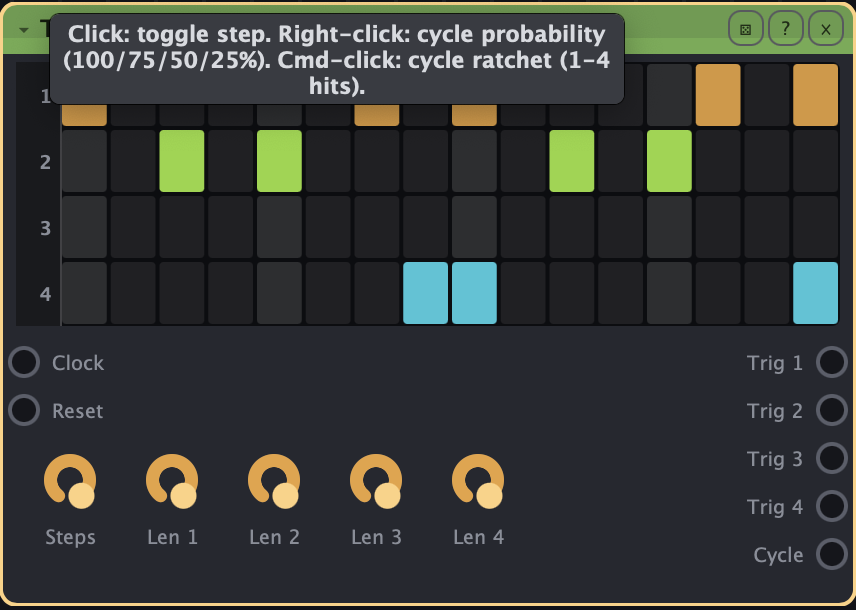
Everything — pattern, probabilities, ratchets, lengths — is saved with the patch.
Piano Roll
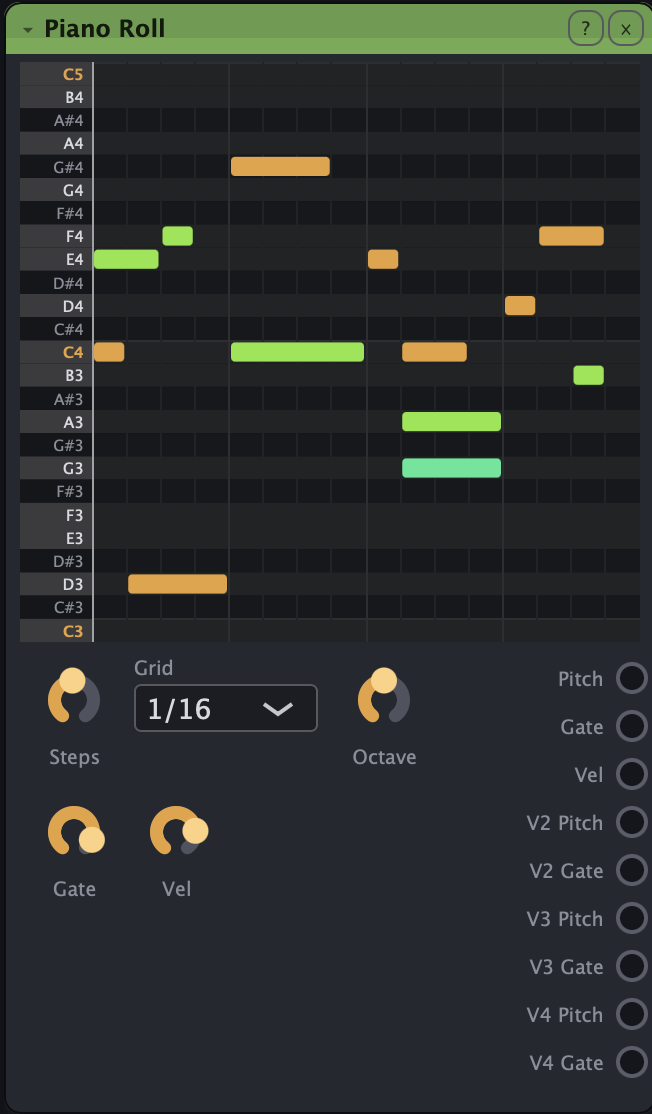
The Piano Roll module holds a looping clip that plays in sync with the transport.
- Click an empty cell to add a note and drag right to set its length; drag a note to move it, drag its right edge to resize, right-click to delete. Placing or moving a note (or clicking the keyboard gutter) auditions the pitch.
- The Grid selector sets the step resolution, 1/4 through 1/32 including triplets.
- Stack notes for chords: up to four-voice polyphony spreads across the voice outputs — V1 carries pitch/gate/velocity, V2–V4 pitch and gate. Patch a voice chain per voice (build one, then Cmd+D it).
Melodic sequencers
Sequencer (8-step), Seq 16 (16 steps with direction modes), Euclid, Turing, Arpeggiator and friends are covered one-by-one in the module reference. The recurring trick: run any pitch output through a Quantizer and even random voltages land in key.
MIDI in
- MIDI In converts notes to pitch/gate/velocity CV (monophonic, last-note priority). Poly MIDI does four voices — duplicate a voice chain per voice for patchable polyphony.
- MIDI Learn: right-click any knob → MIDI Learn, move a control on your hardware, and the CC number appears on the knob. Right-click again to remove. Mappings are saved with the patch, and every mapped knob appears in Performance View.
MIDI clock sync
The MIDI Sync dialog lets the transport follow incoming MIDI clock or send it out — so Resonode can slave to your DAW or drive your drum machine, whichever direction the studio runs.
MIDI out to hardware
The MIDI Out module converts pitch/gate/velocity CV into MIDI notes on the output chosen in MIDI Sync. Point any Resonode sequencer, arpeggiator or Turing machine at a hardware synth — the generative tricks work on instruments that have never heard of CV.